

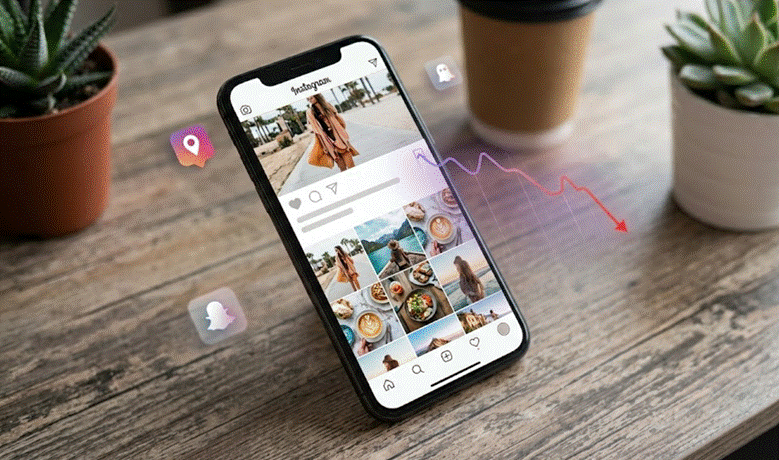
If you’ve spent months building an audience on Instagram only to watch your reach suddenly fall off a cliff, it is a deeply frustrating experience. One day your posts are thriving, and the next, it feels like you’re shouting into an empty room. Likes plummet, comments dry up, and your follower count stalls.
In the creator community, this sudden, unannounced visibility drop is known as a shadowban. While Instagram rarely uses that exact terminology, the mechanical reality is very real: the algorithm quietly suppresses your content, keeping it off the Explore page and hashtag feeds.
The good news? Your account isn’t ruined forever. By using a shadowban checker and adjusting your strategy, you can diagnose the issue and win back your distribution.
What Actually Happens During a Shadowban?
A shadowban is essentially a stealth restriction. Instagram doesn’t send you a notification or place a warning banner on your profile; instead, they simply restrict your content’s distribution to users who don’t already follow you.
This usually happens when an account triggers the platform’s automated spam filters. Common culprits include:
- Automated activity: Using bots for liking, commenting, or follow-unfollow loops.
- Hashtag misuse: Overloading posts with repetitive blocks of tags or accidentally using broken, flagged hashtags.
- Rapid-fire engagement: Liking or commenting too quickly, which mimics bot behavior.
When this happens, your existing followers might still see your posts in their main feeds, but your ability to reach new audiences organically is completely cut off.
The Warning Signs: Is It a Ban or Just the Algorithm?
Algorithm shifts frequently happen, so how do you know if you’re actually restricted? Look for these specific red flags:
- A sudden, drastic collapse in reach: We aren’t talking about a minor fluctuation. A shadowban usually looks like a sharp, overnight drop of 50% or more in impressions.
- Zero discovery via hashtags: If you look at your post insights and see that traffic from hashtags has completely vanished, your content is likely hidden from those feeds.
- A steep drop in Story views: A sudden decline in views and sticker interactions from non-followers often accompanies a grid restriction.
Diagnosing the Issue with a Shadowban Checker
If these symptoms sound familiar, you don’t have to guess. An Instagram shadow ban checker is a straightforward tool designed to audit your account’s visibility. Grum provides one for free.
Here is how the process generally works:
1. Account Input
You provide your Instagram handle to the tool. Reliable checkers will only ask for your public username be wary of any third-party tools demanding your account password.
2. Visibility Analysis
The tool scans your most recent posts and cross-references them against public hashtag pages from an independent, non-following perspective. This verifies whether your content is actually discoverable by the wider public.
3. Actionable Insights
The checker will flag specific posts that seem to be suppressed and point out potentially problematic hashtags that might have triggered the penalty.
The Recovery Plan: How to Restore Your Reach
If the tool confirms your suspicions, take a breath. You can fix this by showing the algorithm that your account is run by a real, well-behaved human.
- Take a short hiatus: Step away from the app for 48 to 72 hours. Stop posting, commenting, and liking. This brief break often resets the behavioral triggers that flagged your account in the first place.
- Clean up your content history: Go through your recent posts and delete any repetitive hashtag blocks. If you suspect a specific tag is banned, remove it entirely.
- Disconnect third-party apps: Revoke access to any external apps that promise automated growth, scheduling workarounds, or follower analytics. These are major red flags for Instagram’s security systems.
- Shift back to organic engagement: When you return, engage like a normal human being. Leave thoughtful comments on accounts you genuinely enjoy, and space out your activity naturally.
- Check your Account Status: Go to your Instagram settings, tap Help, and then Account Status. This is Instagram’s official dashboard where they will occasionally show you if your content has been flagged for violating community guidelines. If you see an error here, you can submit an official appeal.
Keeping Your Account Safe Long-Term
Once your reach returns to normal, the goal is to keep it that way. Moving forward, treat your hashtag strategy like content keep it fresh, relevant, and varied. Avoid copying and pasting the exact same block of 30 tags onto every single caption.
Most importantly, focus on authentic, community-driven growth. The platform’s algorithm is incredibly sophisticated at spotting shortcuts. By prioritizing genuine interactions and monitoring your account’s health, you can keep your visibility stable and your audience growing.
Final Note: Instagram’s landscape changes constantly, but the core rule remains the same: focus on creating high-quality content and engaging authentically with your community to ensure your account stays on the right side of the algorithm.